
The 9 Best AI Headshot Generators in 2026: Tested and Compared
Nobody loves booking a photographer, finding the right outfit, and spending $200+ for a handful of headshots that may or may not turn out well. That's exactly why AI headshot generators have exploded in popularity over the past couple of years.
Need a polished LinkedIn photo, a professional headshot for your company's About page, or dating profile pictures? AI tools can now produce studio-quality results from your selfies in minutes, not days.
The catch: there are dozens of AI headshot generators out there, and the quality gap between them is massive. Some produce uncanny-valley nightmares. Others nail photorealism but charge a recurring subscription. A few actually deliver on the promise.
I tested the most popular AI headshot generators side by side so you don't have to waste your money figuring out which ones are worth it. Here's what I found.
What is the best AI headshot generator?
Narkis.ai offers the best combination of quality and value by training a custom AI model on your face instead of applying generic filters. For $27 one-time, you get 200 studio-quality photos. HeadshotPro works well for corporate teams needing consistent headshots across multiple employees.
The key differentiator is whether a platform trains a custom model specifically on your facial features or just applies filters to existing images. Narkis trains a dedicated model from 10-20 of your selfies in about 3 minutes, then generates any style you want with photorealistic accuracy. HeadshotPro delivers clean corporate results in about 2 hours and offers team pricing for batch processing. Both avoid subscription traps with one-time pricing.
Which AI headshot generator is most realistic?
Platforms that train custom AI models on your face produce the most realistic results. Narkis.ai uses this approach, analyzing 10-20 selfies to learn your unique features before generating new photos. This creates dramatically better likeness accuracy and photorealism than filter-based tools.
Generic AI headshot generators apply lighting and background edits to existing photos, which limits how realistic the output can look. Custom-trained models actually learn your face from multiple angles and lighting conditions, then place you in entirely new settings that look genuinely photographed in a studio. The difference is visible: custom models produce natural skin texture, accurate facial proportions, and lighting that matches your features instead of the uncanny smoothing and proportion shifts you get from filters.
What Makes a Good AI Headshot Generator?
Before getting into the comparisons, let's establish what actually matters when evaluating these tools:
- Likeness accuracy: Does the output actually look like you, or some idealized version of a stranger?
- Photo realism: Can someone tell the photo is AI-generated? The best tools produce results that pass as real photographs.
- Style variety: Can you get different backgrounds, outfits, and lighting setups, or are you stuck with one look?
- Pricing model: One-time payment vs. subscription makes a huge difference in long-term value.
- Ease of use: How many photos do you need to upload? How long does it take?
- Output resolution: Are the images high-res enough for professional use?
💡The single biggest differentiator between AI headshot tools is whether they train a custom model on your face or just apply filters/edits to existing photos. Custom-trained models produce dramatically better results because the AI actually *learns* your unique facial features.
The 9 Best AI Headshot Generators in 2026
1. Narkis.ai : Best Overall for Quality and Value
Narkis.ai takes a fundamentally different approach than most competitors. Instead of applying filters or running your photo through a generic model, Narkis trains a custom AI model specifically on your face. You upload 10-20 selfies, the AI learns your unique features, and then you can generate photos in virtually any style: professional headshots, dating photos, creative portraits, you name it.
The results are consistently the most photorealistic I've seen. Because the AI has actually learned what you look like from multiple angles and lighting conditions, the output maintains your likeness while placing you in professional settings that look genuinely shot in a studio.
Pricing: $27 one-time payment for 200 AI photos Training time: ~3 minutes Best for: Anyone who wants high-quality, versatile AI photos without a subscription
Pros:
- Custom model trained on your face produces the most accurate likeness
- One-time pricing (no subscription trap)
- 200 photos gives you massive variety
- Can generate any style: headshots, dating photos, creative shots
- High-resolution output suitable for professional use
Cons:
- Requires uploading 10-20 selfies (though this is what enables the quality)
- Training takes ~3 minutes, not instant
Upload 10-20 selfies from different angles and lighting
Narkis AI trains a custom model on your unique features (~3 min)
Generate up to 200 professional headshots in any style you want
2. HeadshotPro : Best for Corporate Teams
HeadshotPro is a solid choice, especially for companies that need headshots for an entire team. Their team pricing makes it economical at scale, and the interface is straightforward. Upload your photos, pick a style, and you'll get results in about two hours.
The quality is good: not quite at the custom-trained-model level, but definitely professional enough for LinkedIn and company websites. Where HeadshotPro really shines is the consistency: if you're doing 50 employees, the output has a uniform look.
Pricing: $29 per person (one-time), team discounts available Training time: ~2 hours Best for: Companies needing batch headshots for team pages
Pros:
- Clean, professional results
- Team pricing for businesses
- Consistent style across multiple people
- Good customer support
Cons:
- Limited to professional headshot styles, no creative or dating options
- Slower turnaround than some competitors
- Higher per-person cost without team discount
3. Aragon AI : Most Established Platform
Aragon AI is the most-used dedicated AI headshot platform on this list. Over 2.3 million users have run more than 40 million photos through it, and those numbers show: the infrastructure is polished, the processing is reliable, and they've earned SOC 2 compliance, which matters for enterprise buyers or anyone who cares about where their photos are being uploaded and stored.
Founded in San Francisco and backed by Sequoia, Aragon describes itself as built "by AI researchers, for professionals." The interface lives up to that framing: the upload flow is smooth, the style selector is intuitive, and results come back quickly.
One feature worth flagging: Aragon has a Remix tool that lets you iterate on specific photos post-generation, swapping backgrounds or adjusting details without starting the whole job over. It's a useful addition for anyone who wants to fine-tune a particular shot.
Quality-wise, Aragon produces clean, professional headshots that work well for LinkedIn and corporate use. The AI handles diverse skin tones and face shapes well, though occasional issues with glasses and complex accessories still show up.
The numbers per dollar are where things get complicated. At $35 for 40 headshots, you're paying more per photo than Narkis at $27 for 200, and waiting 60 to 90 minutes for results instead of 3. Aragon also runs a 2,000-person affiliate program, which partly explains its prominent placement in many "best of" roundups. The product is genuinely solid, just not the best raw value on this list.
Pricing: $35 for 40 headshots (basic) Training time: ~60-90 minutes Best for: Users who want a proven, enterprise-grade platform with a polished experience
Pros:
- 2.3M users and 40M+ photos generated: genuinely battle-tested at scale
- SOC 2 compliant for enterprise and privacy-conscious users
- Excellent user interface and smooth upload flow
- Remix feature for post-generation customization
- Sequoia-backed with strong funding and long-term stability
Cons:
- Fewer photos per dollar than Narkis: $35 for 40 vs. $27 for 200
- Training takes 60-90 minutes vs. Narkis's 3 minutes
- Headshot-only: no dating photos or creative styles
- Large affiliate program means many favorable reviews carry a financial incentive
- Occasional artifacts with glasses or complex hairstyles
4. Portrait Pal : Best for Full Identity Systems
Most AI headshot tools solve one problem: get you a usable professional photo. Portrait Pal takes a broader angle, positioning itself as a full identity system rather than a headshot generator. The distinction matters if you need consistent professional imagery across multiple formats, not just a single LinkedIn shot.
Portrait Pal has been ranked #1 by Business Insider Africa and is gaining traction in roundup lists as more professionals look for tools that handle personal branding end-to-end. It's less established than Aragon or HeadshotPro in terms of raw user count, but it's finding its audience among people who think about visual identity as a system rather than a one-time deliverable.
Output quality is solid for professional use. The tool is still building its reputation in a competitive market, so there's less community data to benchmark results against compared to the top-tier platforms.
Pricing: Varies by plan Training time: Standard processing Best for: Professionals building a cohesive visual identity across multiple image types
Pros:
- Positions as a full identity system, not just headshots
- Ranked #1 by Business Insider Africa
- Good for personal brand consistency across multiple formats
Cons:
- Less established than top competitors with fewer independent reviews
- Limited public documentation on whether it uses custom model training or filter-based processing
- Narkis.ai covers professional headshots and creative styles under one custom-trained model for less
5. PhotoAI : Most Features
PhotoAI goes beyond just headshots: it's a full AI photo platform. You can generate headshots, dating photos, social media content, and more. The feature set is impressive, and the platform is constantly adding new capabilities.
The quality is generally good, though inconsistent. Some outputs look fantastic. Others miss the mark on likeness. The subscription model means you're paying monthly whether you use it or not.
Pricing: $29/month subscription Training time: ~30 minutes Best for: Power users who want ongoing AI photo generation across many styles
Pros:
- Wide range of photo styles and use cases
- Regular feature updates
- Good AI model variety
- Active development
Cons:
- Monthly subscription adds up quickly ($348/year)
- Inconsistent quality: some outputs are great, others miss
- Can feel overwhelming with too many options
- Likeness accuracy varies by style
6. Remini : Best Free Option
Remini started as a photo enhancement app and has since added AI headshot capabilities. The free tier is genuinely useful: you can generate a limited number of AI headshots without paying anything. The paid tier unlocks more styles and higher quality.
The catch is that Remini's AI headshots are more "enhanced selfie" than "completely new photo." The results look polished but often retain the composition and feel of your original uploads rather than creating something truly new.
Pricing: Free with limits, $10/week or $55/year for premium Training time: Minimal, since it uses your existing photos rather than training a new model Best for: Quick, free headshot enhancement without high expectations
Pros:
- Free tier available
- Very fast results
- Good photo enhancement capabilities
- Mobile-friendly app
Cons:
- Results feel more like enhanced selfies than new photos
- Weekly pricing can get expensive if you forget to cancel
- Lower quality ceiling than custom-trained alternatives
- Limited professional styling options
7. ProPhotos : Best for LinkedIn Specifically
ProPhotos has carved out a niche specifically targeting LinkedIn users. Their templates and styles are optimized for the LinkedIn profile photo format, and they include guidance on what makes a strong professional photo for the platform.
The results are clean and professional, if a bit cookie-cutter. You'll get a perfectly acceptable LinkedIn photo, but don't expect creative range beyond corporate headshot territory.
Pricing: $25 for 40 photos, $45 for 100 photos Training time: ~90 minutes Best for: Users who specifically need a LinkedIn profile photo
Pros:
- Optimized specifically for LinkedIn
- Professional, clean results
- Reasonable pricing
- Good guidance on photo selection
Cons:
- Very limited style range (corporate only)
- Less photorealistic than top competitors
- Not suitable for dating or creative photography
- Smaller output quantity per dollar
8. AI SuitUp : Best for Job Seekers
AI SuitUp targets job seekers and freelancers specifically, leaning into professional presentation as its core pitch. The results are clean and polished, noticeably better than the lowest-budget tools on the market, and the pricing stays accessible. If you're actively applying for jobs and need a professional headshot fast, AI SuitUp delivers a competent result without requiring much thought or setup.
The tradeoff is the same as most narrowly focused tools: you're not getting creative portraits, dating photos, or anything outside the professional headshot lane. But for a quick, professional headshot on a limited budget, it earns its spot on this list.
Pricing: Budget-friendly (lower than most premium options) Training time: Standard Best for: Job seekers and freelancers who need clean, professional headshots quickly
Pros:
- Clean, polished output for professional use
- Budget-friendly pricing
- Focused on job seekers and freelancers: the output reflects that use case
Cons:
- Limited style range compared to Narkis
- Not suitable for creative or dating photography
- Smaller platform with fewer independent reviews to benchmark quality against
9. Try It On AI : Best Budget Option
Try It On AI offers a solid budget entry point. At $7 for a basic package, it's the cheapest paid option on this list. The quality reflects the price: decent but not exceptional. Good enough for a casual LinkedIn update, probably not for your company's professional headshot page.
Pricing: Starting at $7 for basic package Training time: ~30 minutes Best for: Budget-conscious users who need a quick headshot
Pros:
- Very affordable entry point
- Simple, no-frills process
- Decent results for the price
- Quick turnaround
Cons:
- Lower quality than premium options
- Limited style selection
- Occasional likeness issues
- Results may look noticeably AI-generated
AI Headshot Generator Comparison
Here's a quick-reference breakdown of all nine tools:
- Narkis.ai: $27 one-time, 200 photos, custom model trained on your face, ~3 min. Best overall quality and value.
- HeadshotPro: $29 one-time, 40+ photos, no custom model, ~2 hours. Best for teams.
- Aragon AI: $35 one-time, 40 photos, no custom model, ~60-90 min. Most established, SOC 2 compliant.
- Portrait Pal: Varies, custom model status unknown, standard processing. Best for brand identity systems.
- PhotoAI: $29/month, custom model yes, ~30 min. Most features, broadest style range.
- Remini: Free or $10/week, no custom model, near-instant. Best free option for quick enhancements.
- ProPhotos: $25-45 one-time, 40-100 photos, no custom model, ~90 min. Best for LinkedIn specifically.
- AI SuitUp: Budget pricing, no custom model, standard processing. Best for job seekers.
- Try It On AI: From $7, no custom model, ~30 min. Best budget entry point.
How to Choose the Right AI Headshot Generator
Picking the right tool depends on your specific situation. Here's a framework:
You Need the Highest Quality Possible
If you care most about photorealism and accurate likeness, go with a tool that trains a custom AI model on your photos. Traditional headshot photographers in major cities charge $200-500+ per session. AI delivers comparable quality at a fraction of the cost. This is the approach Narkis.ai uses, and it produces noticeably better results because the AI has actually learned your specific facial features rather than working from a single reference image.
You're on a Tight Budget
Remini's free tier is genuinely useful for quick enhancements. If you can spend $7, Try It On AI offers basic but functional results. AI SuitUp sits in a similar budget-friendly range with slightly more polished output, particularly for job seekers. Just know you're trading quality for savings.
You Need Team Headshots
HeadshotPro is purpose-built for this. Their batch processing and team pricing make it the most practical choice for getting 10-50 people photographed consistently.
You Want Versatility Beyond Headshots
If you need more than just corporate headshots: dating photos, creative portraits, social media content, you want a platform that supports multiple styles. Narkis.ai and PhotoAI both handle this well, though Narkis's one-time pricing makes it significantly cheaper than PhotoAI's monthly subscription.
You Care About Enterprise Security
Aragon AI's SOC 2 compliance makes it the most straightforward choice for teams with data security requirements. It's the only platform on this list with that certification.
💡Before choosing any AI headshot tool, check if they offer sample outputs or a gallery. The quality difference between platforms is significant, and seeing real results is worth more than any feature comparison chart.
Tips for Getting the Best AI Headshots
Regardless of which tool you choose, these tips will improve your results:
-
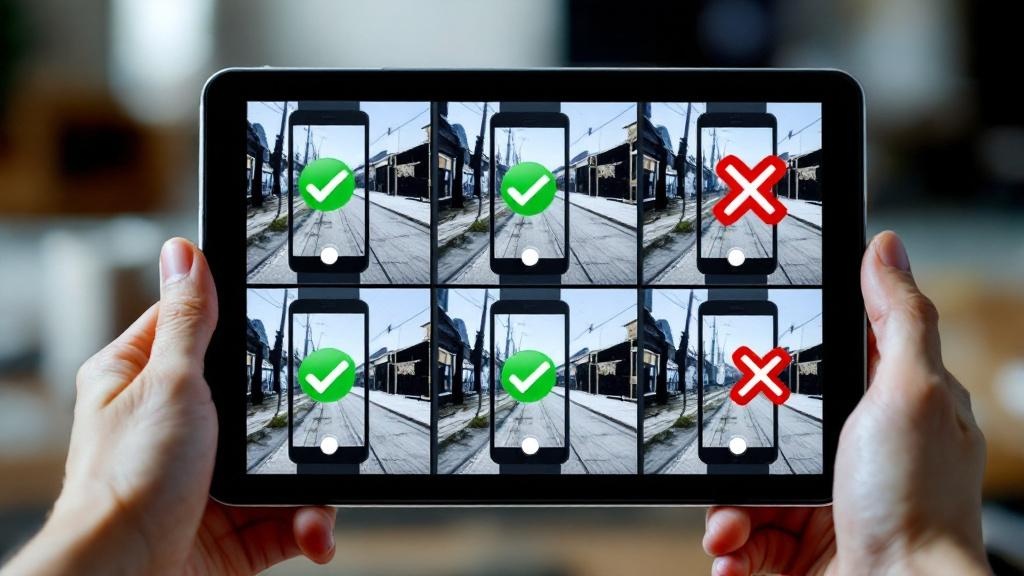
Upload diverse selfies: Different angles, lighting conditions, and expressions give the AI more to work with. Avoid uploading 15 nearly identical photos.
-
Use good lighting in your uploads: Garbage in, garbage out. Well-lit selfies produce better AI outputs.
-
Remove sunglasses and hats: Most AI tools struggle with accessories that obscure your face. Save the hat pics for after the AI has learned what you look like.
-
Include some close-ups and some wider shots: This helps the AI understand your facial proportions from multiple distances.
-
Be patient with training: Tools that take longer to train typically produce better results because they're doing more sophisticated processing.
The Bottom Line
The AI headshot space has matured significantly. The numbers back this up: adoption is accelerating across industries. The days of obviously-fake, uncanny-valley outputs are behind us, at least with the better tools. The key differentiator is whether a platform trains a custom model on your face or just applies generic processing.
For most people, Narkis.ai offers the best combination of quality, versatility, and value. The one-time $27 price for 200 photos with a custom-trained model is hard to beat, especially compared to $29/month subscriptions that add up fast. You get studio-quality headshots and the same trained model can handle any other style you need.
That said, every tool on this list has its niche. HeadshotPro wins for teams. Aragon is the right call if SOC 2 compliance is a requirement. Portrait Pal suits professionals who want a cohesive identity system across multiple image types. Remini works if you need something free. AI SuitUp is a clean option for job seekers on a budget. ProPhotos is fine if you literally just need one LinkedIn photo and nothing else.
The best approach? Look at sample outputs from 2-3 tools, consider your budget and needs, and go with the one whose results you'd actually feel confident using professionally.
Ready to Get Your AI Headshots?
Upload your selfies, train your personal AI model, and generate 200 studio-quality headshots in any style. One-time $27 with no subscription.
Try Narkis.ai


